Monthly Package Contract
Print
Modified on: Wed, Nov 4, 2026 at 2:39 PM
Monthly Package
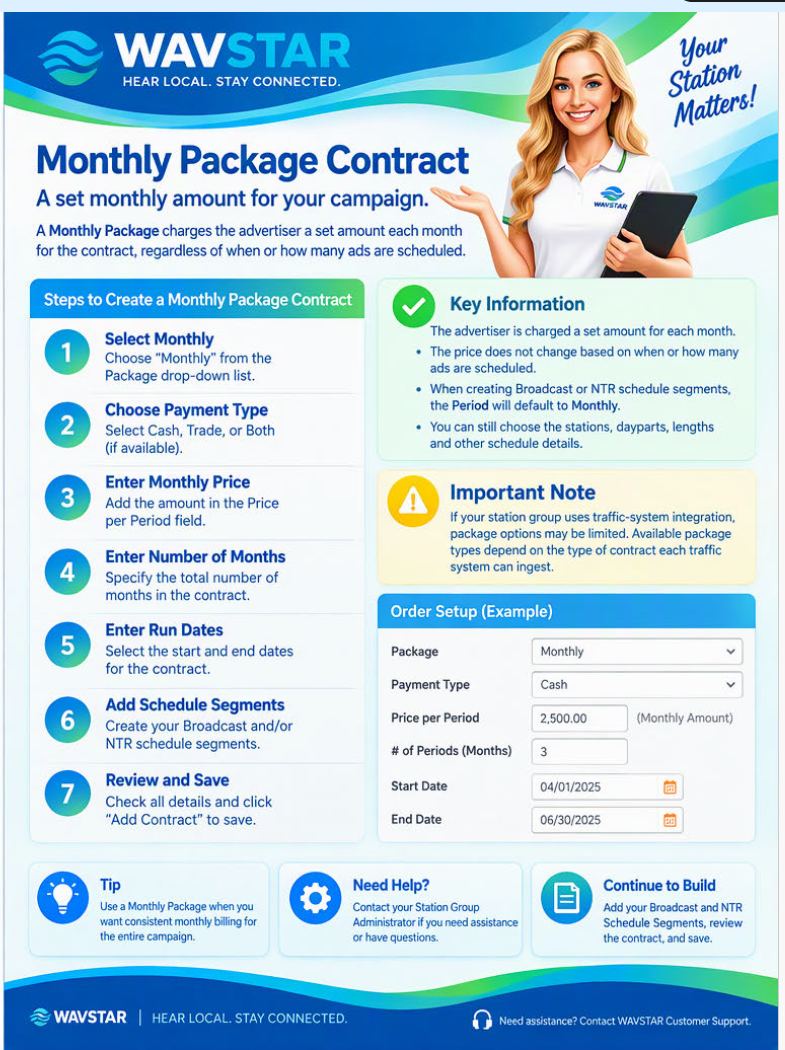
Select Monthly Package when the advertiser will be charged a set amount for each month of the Contract, regardless of when or how many ads are scheduled.
Create the Contract
Select Monthly from the Package drop-down list.
Choose the Payment Type.
Enter the monthly price in Price per Period.
Enter the number of months in Number of Periods.
Enter the Contract’s Start Date and End Date.
Complete the remaining Contract information.
Add the Broadcast and NTR Schedule Segments.
Review the automatically calculated Contract total.
Select Add Contract to save.
When creating Broadcast or NTR Schedule Segments, the Period will default to Monthly, based on the selection made in Order Setup.
Traffic-system integration: Available package types may depend on the Contract formats supported by the connected traffic system.
Did you find it helpful?
Yes
No
Send feedback Sorry we couldn't be helpful. Help us improve this article with your feedback.
